Notifications Are the Real Hijack, Not the Scroll
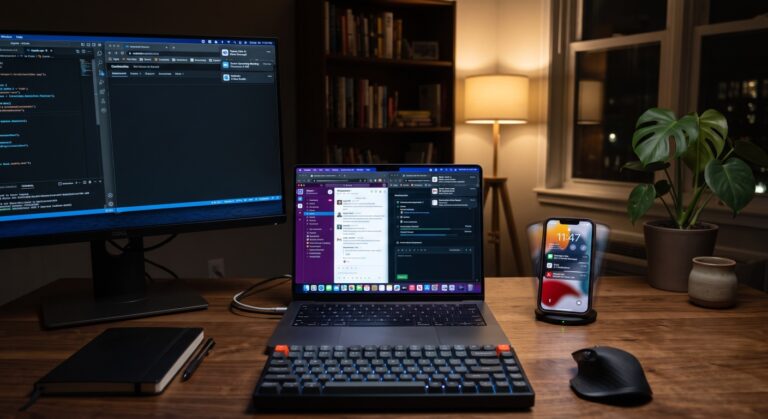
Someone sends me a message on WhatsApp. My phone buzzes. Two seconds later my iPad, sitting face-up on the desk next to it, lights up with the same message. My laptop, if it’s open, chimes in a beat after that. One message, three interruptions, because I bought into the Apple ecosystem specifically so everything would talk to everything else.
That’s not a bug. That’s the feature working exactly as designed. And it’s also, without anyone intending it, a small machine built to make me check my phone more than I would if I only owned one device.
I didn’t buy an iPhone, an iPad, a MacBook, and a Watch because I wanted more notifications. I bought them because I wanted to work from anywhere, stay reachable, and not lose half an hour every time I switched locations. Being available and efficient was the whole point. Nobody sells you the ecosystem by mentioning that the same seamlessness which makes it useful also means one message can now reach you three or four separate times, on three or four separate screens, each one landing as its own small unpredictable event.
That’s the part of this conversation almost nobody’s having.
Table of Contents
- The mechanism has a name, and it’s older than smartphones
- Skip the “dopamine hit” line – it’s not quite right
- What nobody’s talking about: you didn’t just add notifications, you multiplied them
- It’s not four devices. It’s dozens of separate slot machines running on each one
- What this actually costs you
- Short-form video is the same trick, one level down
- Where to from here
- FAQ
The mechanism has a name, and it’s older than smartphones
Everyone’s heard some version of “apps are designed like slot machines.” It’s become such a common line that it’s stopped meaning anything specific. So let’s get specific.
In the 1950s, B.F. Skinner ran a set of experiments on operant conditioning – training animals to perform an action, then rewarding that action on different schedules to see which schedule produced the strongest, most persistent behaviour. A reward every single time an action happened turned out to be the weakest way to build a habit. The strongest was the opposite: rewarding the action unpredictably, on a schedule with no fixed pattern. Skinner called this variable-ratio reinforcement, and it’s the same principle a slot machine runs on. You don’t know which pull pays off, so you keep pulling.
Checking your phone runs on the exact same schedule. You don’t know if the next check will surface something worth seeing or nothing at all. That uncertainty is the entire engine. It’s not that any single notification is compelling – it’s that you can’t predict which one will be, so you keep checking.
I’m not going to walk through Skinner’s actual lab setup here, because it’s not really necessary and it’s been done to death elsewhere. What matters is the mechanism, not the pigeons.
Skip the “dopamine hit” line – it’s not quite right
Here’s where I’ll push back on the popular version of this story, because I think it’s gotten sloppy.
You’ll see “dopamine hit” used constantly to explain why notifications feel compulsive – as if dopamine is a pleasure chemical your phone squirts into your brain every time it buzzes. Even Anna Lembke, the Stanford psychiatrist whose book Dopamine Nation did more than almost anything else to popularise that framing, has since said in the New York Times that it’s an oversimplification to pin addiction on dopamine alone. Neuroscientist Kent Berridge’s research draws a sharper distinction: dopamine tracks wanting, not liking. It’s the anticipation system, not the reward itself.
Why does that distinction matter here? Because it’s actually the better explanation, not a technicality. If dopamine were about pleasure, a predictable notification should feel just as good as an unpredictable one. It doesn’t. The wanting system fires hardest when the outcome is uncertain – which is precisely what Skinner found with variable-ratio schedules seventy years before anyone had a neuroscience lab to check the chemistry. The mechanism isn’t “your brain gets a treat.” It’s “your brain can’t stop checking because it genuinely doesn’t know when the treat’s coming.” That’s a behavioural story first, and it holds up regardless of which specific neurotransmitter is doing the work underneath it.
What nobody’s talking about: you didn’t just add notifications, you multiplied them
Here’s my actual argument, and it’s the reason I wanted to write this specifically instead of just repeating the slot-machine line.
The unpredictability isn’t the whole story anymore. It used to be one phone, one set of unpredictable pings. Now it’s a phone, a tablet, a laptop, and a watch, all synced to the same accounts, and each one is capable of surfacing the same message independently. That’s not one slot machine. That’s four slot machines wired to the same jackpot, each one able to go off on its own.
This is a real, documented, currently unsolved problem – not just a feeling I have. As of the second quarter of 2024, more than 63% of Android users own two or more devices linked to the same account, but fewer than 22% of them actually use the cross-device features meant to keep those devices in sync. Google has been actively building fixes for this – Android 15 introduced work specifically aimed at making a notification you dismiss on your phone disappear from your tablet too – because the default behaviour, for most people with more than one device, is duplicate pings landing separately, at separate times, on separate screens. The industry itself is treating this as a technical annoyance to engineer around. Nobody’s naming it as what it also is: a second reinforcement loop layered on top of the first one.
Take either half away and the effect shrinks. Unpredictability alone, on a single device, is the well-worn slot-machine story everyone already knows. Multiple devices alone, all firing in perfect sync with zero delay, would just mean one interruption instead of four. It’s the combination – unpredictable timing, multiplied across independently-pinging devices – that turns “I bought these for efficiency” into “I check my phone more than I did before I owned four things instead of one.”
It’s not four devices. It’s dozens of separate slot machines running on each one
Devices are only half the multiplication. The other half is sitting right there on your home screen, and it’s bigger.
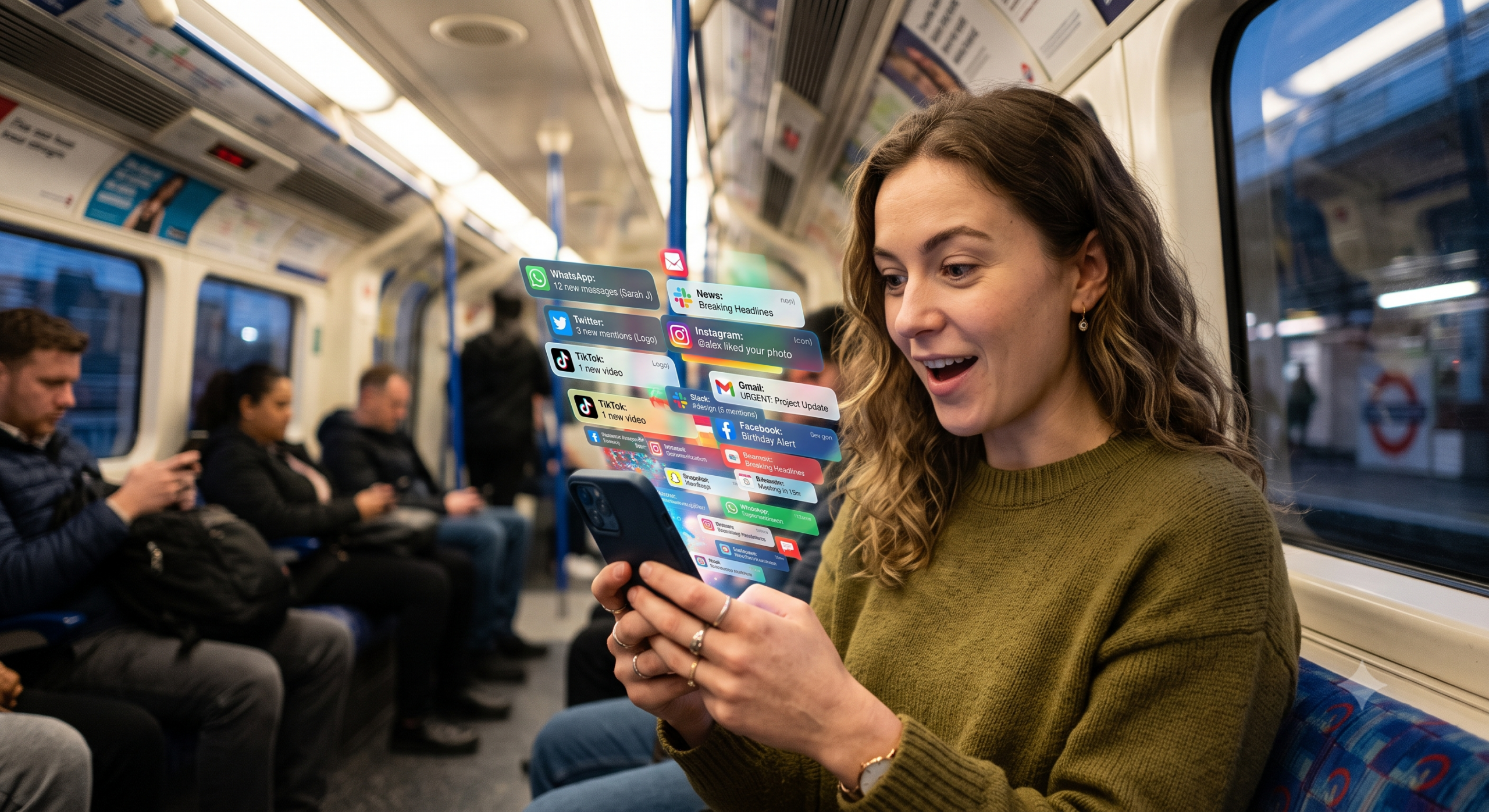
Think about what’s actually installed and running on a single phone. WhatsApp for the family group and the school run. Facebook and Instagram for everyone else. Gmail, or two or three mail accounts stacked in one inbox app. Teams or Slack for work, pinging you about a meeting that moved or a message from someone three floors away. TikTok, because everyone has it whether they admit to opening it daily or not. That’s six separate notification streams before you’ve even counted the banking app, the calendar, the fitness tracker, or whatever games still have permission to buzz you.
Each one of those is running its own variable-ratio schedule, completely independent of the others. WhatsApp doesn’t know Slack just pinged you thirty seconds ago. Instagram has no idea you already checked Gmail twice in the last ten minutes. They’re not coordinating. They’re all just quietly running the same unpredictable-reward loop in parallel, on the same piece of glass in your pocket, competing for the same sliver of attention.
The average US smartphone user gets somewhere around 46 push notifications a day. People check their phones roughly 150 times daily. That’s not one long slot machine session – that’s dozens of separate machines, each with its own payout schedule, each capable of firing at any moment, stacked across the entire day. Work adds its own layer on top: the average Slack user stays signed in for more than nine hours, and the platform moves over 1.5 billion messages a day across its user base – which means for a huge number of people, the unpredictable-reward loop doesn’t even pause when the personal apps go quiet. It just switches from social to professional and keeps running.
This is the part that makes “just turn off notifications” sound simple and be nearly impossible in practice. It’s not one setting. It’s dozens of individually reasonable settings, each one attached to something you actually use and mostly want – the family group chat, the work channel, the client email – stacked on top of each other until the sum of all those reasonable choices is a phone that’s capable of interrupting you every few minutes, all day, from six or eight or ten different directions at once.
What this actually costs you
It’s easy to treat notification checking as a minor annoyance – a few seconds here, a glance there. The research says otherwise.
Gloria Mark’s work at UC Irvine, the same research I leaned on in my last piece about attention, has also measured what happens after an interruption specifically. On average, people spend about 12 minutes and 40 seconds on a task before getting interrupted. After that interruption, it takes an average of 25 minutes and 26 seconds before they return to the same task at all – and if the task is a difficult one, it takes roughly 15 minutes just to get back to the same depth of concentration they’d been in before. An interruption doesn’t have to be long to do damage, either: a gap as short as 2.8 seconds is enough to double the number of errors people make on the task they were doing.
That’s not one big cost. That’s a small cost, paid repeatedly, every time one of your devices decides it’s the one that gets to interrupt you this time.
Short-form video is the same trick, one level down
Notifications aren’t the only place this shows up. Once you’re actually inside an app, the same variable-ratio mechanism is often still running – it’s just moved from “will my phone buzz” to “will the next video be good.”
Short-form video is the clearest example. I’ve written before about the 2025 meta-analysis of 98,299 people that found short-form video specifically – not social media generally – carried the strongest link to weaker attention and weaker inhibitory control. Infinite scroll works precisely because it removes the natural pause where you’d otherwise ask yourself whether the next video is worth watching. There’s no decision point left to interrupt the loop. You’re not deciding to keep scrolling. You’re just not stopping.
Same mechanism, same unpredictability, just moved one layer inward – from “which device will ping” to “which video will land.” Fixing your notification settings and ignoring this half of the problem gets you halfway there, at best.
Where to from here
None of this is an argument against owning multiple devices, or against the Apple ecosystem specifically, or against notifications existing at all. I like my setup. I’m not giving it up, and I don’t think you need to give up yours either.
But it’s worth being honest about the actual trade-off, because there is one. In a study where 30 people disabled notifications across every device they owned for 24 hours, the result wasn’t a clean win. They felt less distracted and more productive – but they also felt less able to respond the way people expected them to, which made some of them anxious, and they felt less connected to the people around them. Two-thirds said they wanted to change how they managed notifications afterward. Two years later, half of them actually had.
That’s the honest version. Cutting the noise isn’t free. It costs you some responsiveness, and it costs you a bit of that always-on connection to everyone else. Whether that trade is worth it isn’t something I can answer for you – it depends on what you actually need to be reachable for, and what you’re currently paying to stay reachable for things that don’t need you that badly.
What I’d ask you to stop doing is blaming “the algorithm” as if it’s one villain living inside one app. It’s not. It’s an old, well-understood behavioural mechanism, running simultaneously across every screen you own, and it got there because you made a series of individually reasonable decisions that added up to something nobody chose on purpose.
Worth deciding on purpose now, don’t you think?
FAQ
Is it really Skinner’s reinforcement schedule, or is that an oversimplification too? It’s the more accurate version, if anything. The behavioural mechanism – unpredictable reward timing producing the strongest, most persistent habit – has held up since the 1950s and doesn’t rely on any specific neurochemical story. The “dopamine hit” language people usually reach for is the part that’s oversimplified, not the reinforcement-schedule explanation underneath it.
Does turning off notifications actually reduce anxiety, or does it just cause a different kind? Based on a 24-hour study where 30 people disabled notifications across every device, it’s a genuine trade-off, not a clean fix. People felt less distracted and more productive, but also less able to respond as expected, which made some of them anxious, and less connected to their social group. It’s worth going in knowing that, rather than expecting an unambiguous win.
Why do multiple devices make phone-checking worse instead of better, if they’re supposed to save time? Because each device that’s synced to the same accounts can surface the same notification independently, at a different moment. Instead of one unpredictable interruption, you get several, each arriving on its own schedule. As of 2024, over 63% of Android users own two or more linked devices, but fewer than 22% use the features meant to keep notifications in sync across them – so duplicate, separately-timed pings are the norm, not the exception.
Is short-form video worse for this than regular notifications? It’s a related but separate problem. Notifications interrupt you from outside an app; short-form video runs the same unpredictable-reward mechanism once you’re already inside one, using infinite scroll to remove the natural pause where you’d otherwise stop. A 2025 meta-analysis of 98,299 people found short-form video specifically – more than social media generally – linked to weaker attention and weaker inhibitory control.
How long does it actually take to refocus after a notification interrupts you? Research from UC Irvine puts the average time to return to the same task at about 25 minutes and 26 seconds, and roughly 15 minutes just to get back to the same depth of concentration if the task was a difficult one. An interruption as short as 2.8 seconds is enough to double the number of errors someone makes on what they were doing.
Do I need to delete apps or disable notifications completely to fix this? No. This isn’t a case for going cold turkey – it’s a case for understanding what’s actually happening before you decide what to change. Some people get real benefit from adding friction (removing an app, batching notifications); others find the responsiveness trade-off isn’t worth it for them. The mechanism is the same either way – what you do about it is a personal call, not a universal prescription.